D for Xcode
Download
-
 D for Xcode, 1.2.2 (175 Kb)
- Installer package for D for Xcode. March 28, 2011.
March 16, 2013: this installer package is no longer capable of downloading DMD. -
 Source code, 1.2.2 (173 Kb)
- Source code for building the plugin on your own.
You can track the development of this project using the Git repository mirror accessible from git.michelf.ca.
To Xcode 4 users: D for Xcode is only partially working with Xcode 4 currently; version 3 of Xcode is fully supported.
Introduction
D for Xcode makes it easy to develop tools, libraries, and applications in the D programming language using Apple’s Xcode IDE. The plugin does the following things:
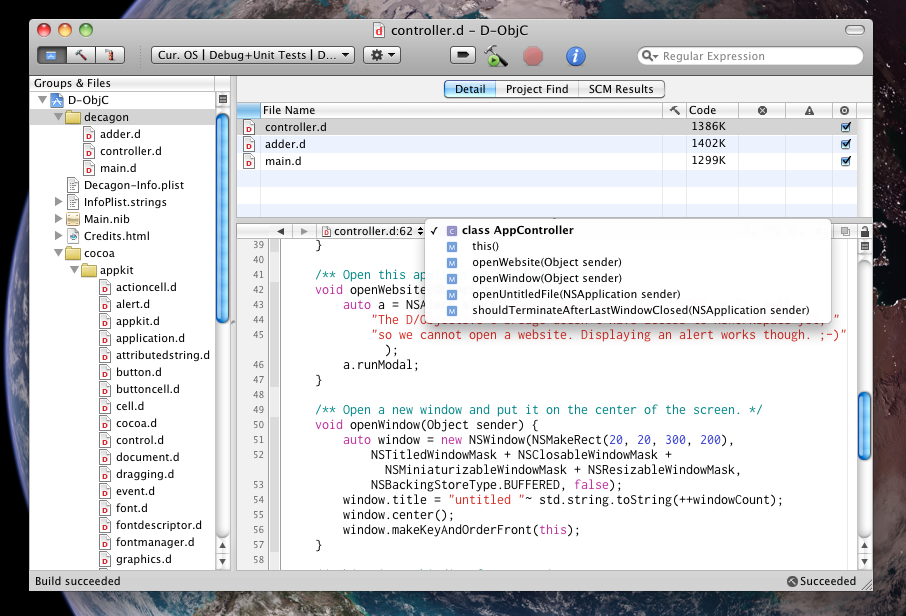
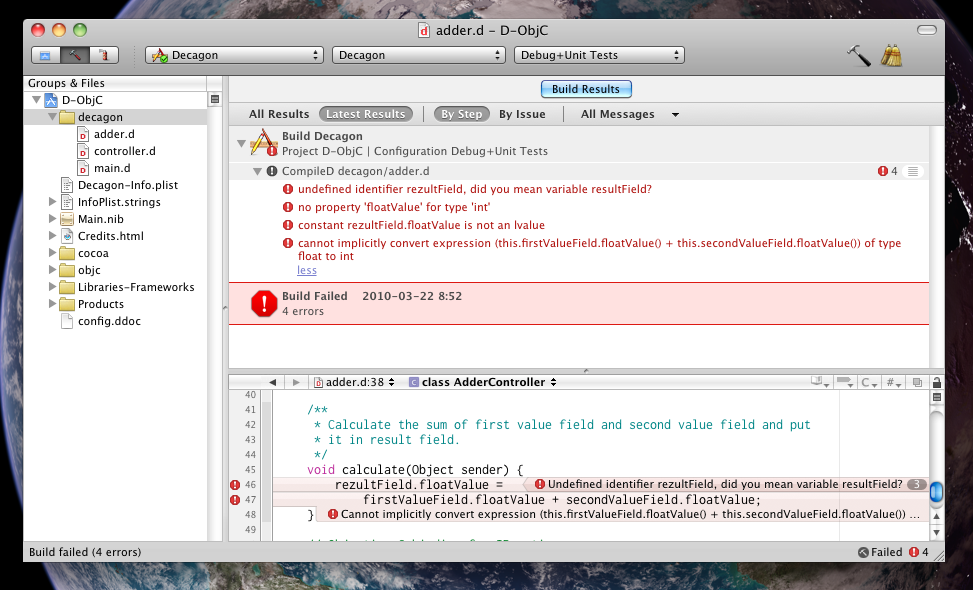
It adds to Xcode support for the DMD and the GDC D compilers so that D source files are recognized and compile in the same way as C, C++, and Objective-C files. Once you’ve added a D source file to a project or target, options specific to the D compiler will appear in the build settings.
It allows Xcode to track dependencies between files (by looking for
importdeclarations) and automatically recompile files when a dependency has been modified.It adds syntax highlighting for D source files.
It populates the outline menu in the editor’s navigation bar with a list of functions, classes, and other constructs found in your D source file (only for Xcode 3.x).
It provide icons for .d and .di files in the Finder and elsewhere on the system, and it makes D files open with Xcode by default.
Requirements
- Xcode 2.5 or later, Xcode 3.x recommended
Note: Support for Xcode 2.5 does not include the outline menu in the editor’s navigation bar.
Installation
Download and open the provided installer package. The installer package will automatically download and install the DMD 2.x and 1.x compilers (only on Intel Macs). Here is a detailed description of what is installed for each subpackage:
D plugin for Xcode
Installs the Xcode plugin at /Library/Application Support/Developer/Shared/Xcode/Plugins/Xcode File & Project Templates
Installs file and project templates for Xcode at /Library/Application Support/Developer/Shared/Xcode/DMD 2.x Download (Note: not working anymore)
Downloads the latest version of DMD 2.x and installs it at /Library/Compilers/dmd2. Also installs symbolic links in /usr/local/ to make dmd callable from the command line.DMD 1.x Download (Note: not working anymore)
Downloads the latest version of DMD 1.x and installs it at /Library/Compilers/dmd. Also installs symbolic links in /usr/local/ to make dmd callable from the command line.
Both DMD 2.x and DMD 1.x contains an executable called dmd. Symbolic links installed in /usr/local/ are named respectively dmd2 and dmd1 so you can easily invoke a specific version of the compiler using one of these commands. The dmd symbolic link points to dmd2 by default, but you can change this using setdmd like this:
sudo setdmd 1
You can later install a newer version of DMD by running again the installer package. Alternatively, you can drop a freshly unpacked dmd or dmd2 folder at /Library/Compilers/, but then you should make sure the file permissions are correctly setup (zip files coming from Digital Mars tend to miss a few executable bits).
Screenshots
Known Issues
Debugger support is mostly lacking. You’ll be able to see a backtrace of mangled function names, but that’s all the GNU Debugger is able to see from executables compiled by DMD at this time. Breakpoints are not supported. Executables compiled with GDC might actually be usable for debugging, but this hasn’t been tested for a while.
Syntax-aware indentation is sometime wrong for constructs which are not present in C++/Objective-C, like
foreach. It’s uncertain if this can be fixed. You can disable syntax-aware indentation from Xcode preferences if this bothers you.Code completion isn’t done very intelligently at this time. It’ll just propose keywords and identifiers found in the same document.
There is no indexing support for D source files. It is therefore not possible to use jump to definition or similar commands.
Module Dependencies
The compiler and the dependency checker assumes the directory your project file is located in is where you’re editing modules. This means that a module named mypackage.mymodule must be located at PROJECT_DIR/mypackage/mymodule.d. You can add other module directories (if you want to include libraries for instance), but the dependency graph doesn’t take them into account and your files depending on them won’t be recompiled automatically if you change them (you’ll need to clean the target first). Let me know if this is a problem for you.
Bug Reports
If you find a problem, whether it’s crashing Xcode or not, I’d like to know about it. Please give me any relevant information (such as Xcode version, and a crash logs if Xcode crashes) and the appropriate steps, or files, to replicate the problem (so I can debug it locally). You can send bug reports at this address: michel.fortin@michelf.ca.
License
D for Xcode is available under the GNU General Public License, version 2 or later.
Version History
D for Xcode 1.2.1 (16 Jan 2011)
Fixed a link failure complaining about a missing “druntime” library on some systems.
Preliminary but very incomplete support for Xcode 4 beta.
D for Xcode 1.2 (21 Mar 2010)
Added an installer package. A default install will download and install the latest version of the DMD 2.x and 1.x compiler in /Library/Compilers/.
The installer package will add the proper symbolic links in /usr/local/ to make DMD work properly without fussing with your
PATHenvironment variable. Thedmd2command invokes DMD 2.x whiledmd1invokes DMD 1.x.dmdmaps to one of these two (dmd2by default but you can change this withsetdmd).Updated the keyword list for syntax highlighting, improved code folding, and other enhancements in the source scanner.
Added special scanner code for strings and comments in Xcode 3. Nested comment and all D string syntaxes are now correctly highlighted as strings.
D files are now recognized correctly by default in Xcode 3. Previously they were assinged the sourcecode.dtrace type (which shares the same file extension); now sourcecode.d takes precedence when files are added to a project. You can manually change the file type from the file info panel in Xcode.
Fixed the dependency tree generation which was broken by Xcode 3.1.
Got rid of the embedded DMD front end for syntax highlighting, now using a custom lightweight parser for dependency scanning and a custom source scanner for syntax highlighing in Xcode 2.x.
Removed support for the outline menu in Xcode 2.x which was using the DMD front end and was too time-consuming to keep up to date. The outline is still available in Xcode 3 based on its newer source scanning facilities.
D for Xcode 1.1b2 (21 Sep 2008)
Improved code folding.
Fixed a problem where a wrong linker command was issued under Xcode 3.1.
D for Xcode 1.1b1 (31 May 2008)
Updated the build process and other parts of the plugin to work with Xcode 3 on Leopard. The plugin continue to work with all previously supported versions of Xcode (2.4 and 2.5).
Created a new set of rules for syntax highlighting suitable for Xcode 3 with support for code folding.
D for Xcode 1.0.1 (November 23, 2007)
- The plugin now registers its launcher application when loaded into Xcode. Previously it was counting on the Finder to register it while copying the plugin, but that isn’t always reliable; hence the need for a backup plan.
D for Xcode 1.0 (November 20, 2007)
- First non-beta release.